
An opening performance might reveal dancers and illuminated scenery behind a video surface, followed immediately by a presentation requiring a denser graphic background. Across those adjacent scenes, the screen has different jobs. A fixed choice between open and solid presentation can limit how the program moves from one visual setting to another.
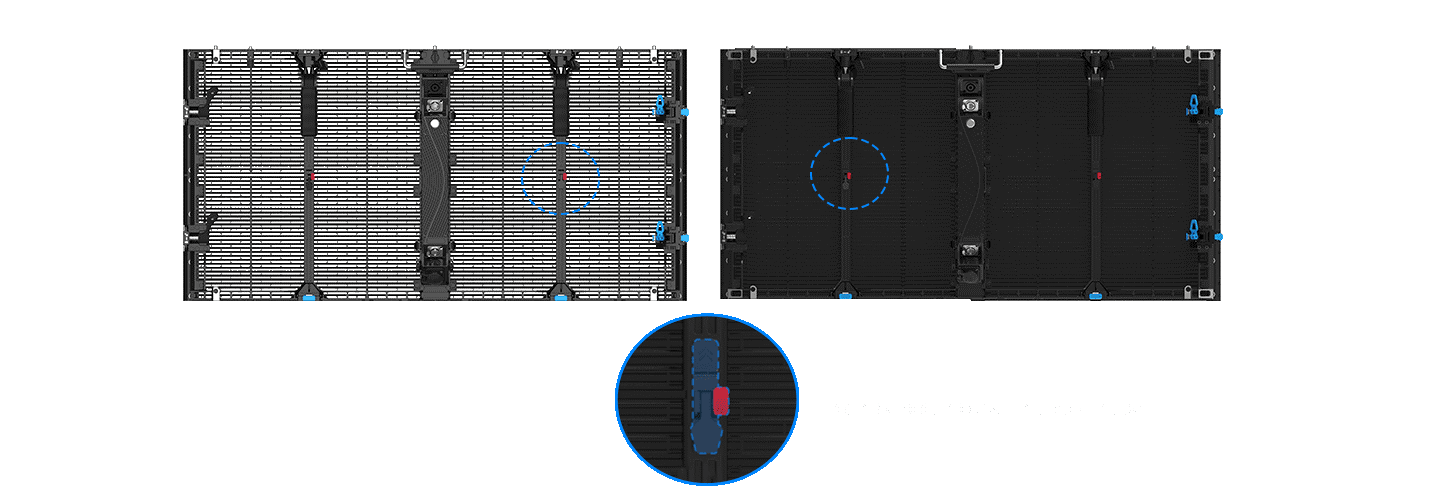
The optional shutter system offered with YES TECH MT II gives that change a physical mechanism. When specified, it enables one-button switching between transparent and solid modes. For an indoor rental LED display serving successive program segments, the starting question concerns which moments reveal the background and which concentrate attention on video.
The Background Follows the Program
A reveal depends on something being concealed or exposed at the intended moment. In MT II’s transparent configuration, at least 50% transparency leaves portions of lighting and scenery visible through the display.
This can support an entrance, a dance sequence or a scenic reveal in which the space behind the video becomes part of the action. A lit set piece can become the destination of that reveal, rather than remaining merely decorative background.
A subsequent segment may give the video greater visual responsibility. A solid background offers a denser surface for a presentation or branded sequence, reducing the role of the physical background in that composition. During event LED screen rental planning, these opposing tasks can belong to the same screen rather than requiring the program to retain one visual treatment throughout.
Daylight and darkness influence the appearance of either state, but neither dictates the choice. An evening performance may depend on visible rear lighting; a daytime presentation may call for a solid video background. The program’s subject, intended reveal and surrounding illumination establish the reason for each mode. Time of day supplies context rather than a fixed transparent-to-solid schedule.
The Shutter Is an Equipment Choice
One-button switching belongs to the optional shutter arrangement, so the supplied configuration determines whether that function is available. The optional shutter system provides one-button switching between transparent and solid modes, allowing the same installed screen to support different visual presentations. The distinction matters before the equipment arrives: an MT II order and an MT II order including shutters describe different provisions for a show that changes presentation modes.
An indoor rental LED display fitted with this option retains its underlying LED grid when the shutters change state. Horizontal pixel pitch remains 3.9 mm and vertical pitch remains 7.8 mm.
The denser background comes from the presentation configuration, without additional pixels appearing between scenes or a new resolution being created by the button operation. Content teams consequently retain the same native pixel map while preparing the two visual treatments.
A rental manifest can identify the shutter-equipped units against the scenes that require them. For event LED screen rental involving a single continuous program, that information connects the creative request to the actual equipment package. Operators can place the change in the running order without assuming a particular switching duration or automatic integration with the show’s cue system.
One Screen Footprint, Several Scenes
The same installed outline can accommodate different background treatments over the evening. MT II offers 1000 by 500 by 83 mm and 500 by 500 by 83 mm cabinets, both using 500 by 250 mm modules.
These sizes provide different increments for establishing the screen dimensions before the production assigns its successive scenes to that surface. The smaller format also provides a finer increment where the proposed outline reaches its edge.
Their respective cabinet resolutions are 256 by 64 and 128 by 64 pixels. Program artwork follows the assembled pixel dimensions in either presentation mode. For an indoor rental LED display, a title sequence and a later scenic animation may occupy the same canvas while using very different amounts of bright imagery and exposed background within it.
Output selection accompanies this preparation. MT II has a white-balance brightness range of 4000–4500 nits, with the solution reaching 4500 nits offered as an option. That choice concerns available light output, separately from the optional shutters. Specifying a brighter configuration alone does not establish switching capability, and choosing shutters does not establish that the high-brightness option has been supplied.
Writing the Change into the Cue
A transition has a before, a change and an after. The cue can name the outgoing scene, the intended shutter state and the lighting treatment that accompanies the next image. Reviewing that sequence exposes practical questions that a static preview misses, including whether the reveal occurs during a blackout, between speakers or as part of visible action. Those placements give the transition an identifiable position in the show’s detailed running order.
Rehearsal can run the actual sequence while the production observes both states and the intervening change. In event LED screen rental, this gives operators a shared reference for the cue rather than an instruction simply to make the screen transparent. The resulting cue notes record the intended image and background relationship at each point in the program.
An entrance, a presentation and a closing performance can each ask something different of the same backdrop. MT II’s optional shutters give those requests a selectable physical state, while the program supplies their dramatic purpose. The finished sequence moves attention between video and the scene behind it, allowing the background’s role to change without replacing the installed screen.

